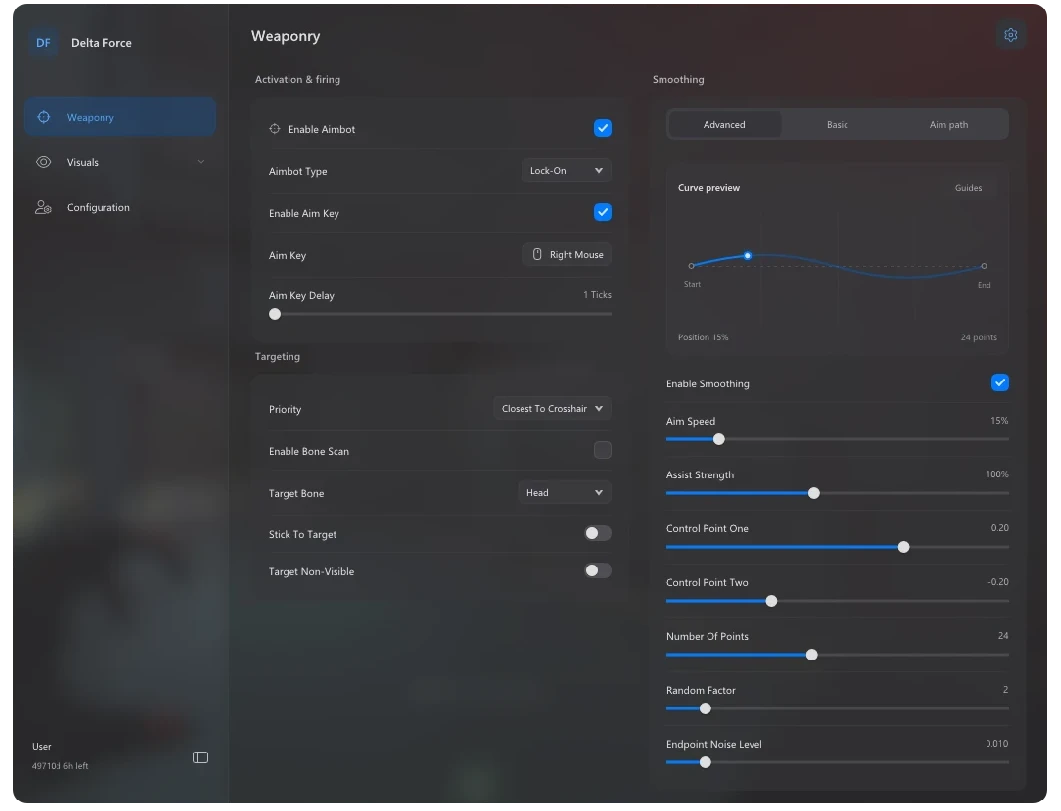
The Delta Force aimbot includes adjustable lock-on, trigger mode, target priority, bone selection, aim key support, smoothing profiles, and advanced tuning options. These settings allow you to configure targeting behavior around your preferred FOV, aim style, and playstyle.
Delta Force ESP can display player names, health, weapons, skeletons, distance, boxes, team and enemy filters, snaplines, health bars, threat warnings, and custom colors. Radar, directional compass settings, FOV circles, FPS widgets, weapon widgets, and a custom crosshair editor provide additional visual control.
Check the current product status, stock, pricing, reviews, and changelog before purchase. Access is delivered through your Txciz sellauth dashboard after checkout or in your Mail, with support available if you need help getting started.
The current Delta Force product combines configurable aimbot controls, detailed Player ESP, radar and compass awareness, movable HUD widgets, and Operations Loot ESP. Use this guide to compare the published controls, then confirm live status, stock, duration, and the latest changelog before checkout.
Aimbot
- Enable Aimbot
- Lock-On / Trigger-Bot
- Target Priority
- Bone Scan
- Target Bone Selection
- Stick To Target
- Target Non-Visible
- Aim Key + Delay
- Smoothing Profiles
- Advanced Bezier Smoothing
- Smoothing Visualizer
Player ESP
- Enable ESP
- Player Name
- Health Bar
- Health Percentage
- Weapon Display
- Skeleton
- Distance Display
- Box Types
- ESP Distance
- Font Size
- Skeleton Smoothness
- ESP Colors
- Target Filtering
- Drag & Drop ESP Preview
Screen Visuals
- Snaplines
- Snapline Team Filters
- Snapline Start Position
- Snapline Thickness
- Snapline Colors
- FOV Circle
- FOV Radius
- Dynamic ADS Multiplier
- FOV Color
- Directional Compass
- Clamp To FOV
- Distance Scaling
HUD Widgets
- Radar Widget
- Radar Size
- Radar Scale
- Blip Radius
- Healthbar Widget
- Threat Warnings
- FPS Widget
- Weapon Widget
- Auto Width Options
- Movable HUD Panels
Crosshair
- Enable Crosshair
- Gap
- Length
- Thickness
- Rotation
- Constant Rotation
- Crosshair Color
- Live Preview
- Crosshair Presets
- Diagonal Spin Preset
Misc
- Sun Changer
- Sun Color
- Config System
- Save Configs
- Config Browser
- Load Configs
- Delete Configs
- Menu Hotkey
- DPI Scaling
- Blur Settings
- Theme Modes
- Accent Color
Operations Loot ESP
- Loose Item ESP
- Container ESP
- Death Box ESP
- Real In-Game Loot Names
- Loot Distance
- Loot Markers
- Rarity-Based Colours
- White Rarity Filter
- Green Rarity Filter
- Blue Rarity Filter
- Purple Rarity Filter
- Gold Rarity Filter
- Red Rarity Filter
- Maximum Display Distance